
When you have Presidor stations in an area accessible to the public, you may want to disable/lock out those stations so that a preset is not accidentally or intentionally activated by someone. Please follow these instructions to disable or enable these stations.
Please note that the screenshots below may look slightly different than your stations, depending on the specific firmware of your stations.
Disabling/Locking Secondary Stations
Follow these steps to disable or lock any secondary stations. You may wish to do this before a show begins, and/or before the public is admitted to your space.
-
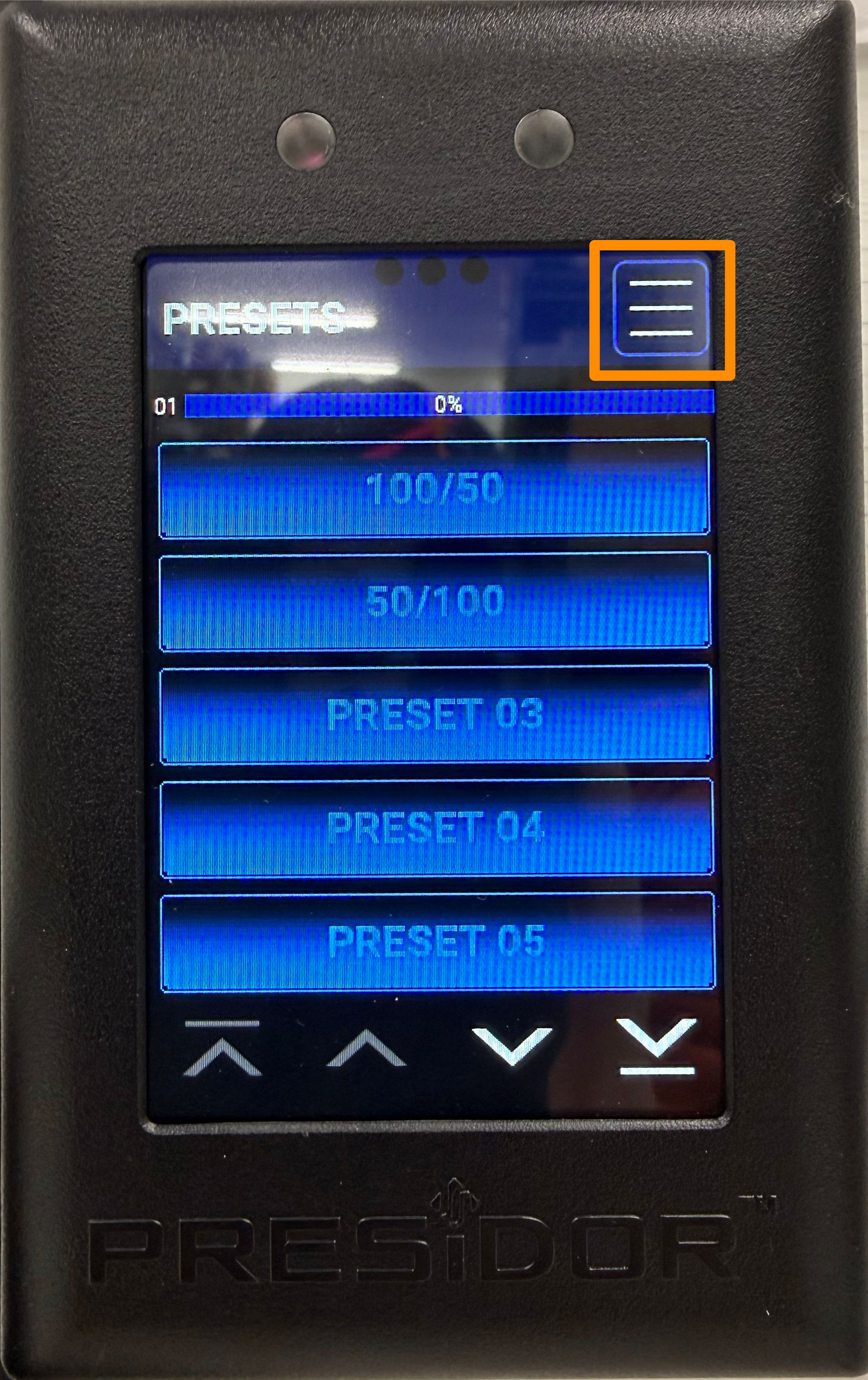
From your primary station (typically located backstage or in the control booth), press the "hamburger" menu button to access the main menu.
-
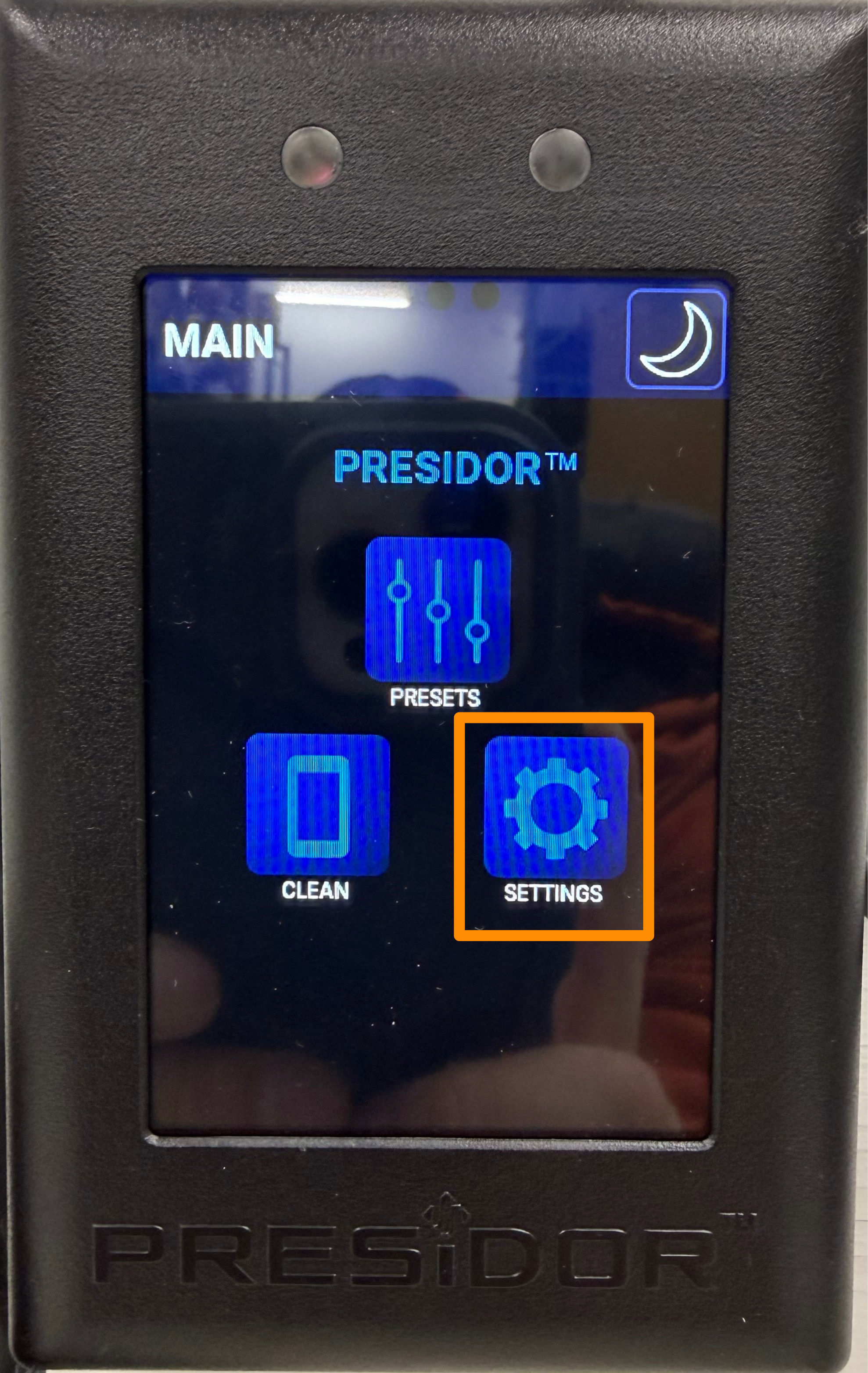
Press the "gears" button to access the settings menu.
-
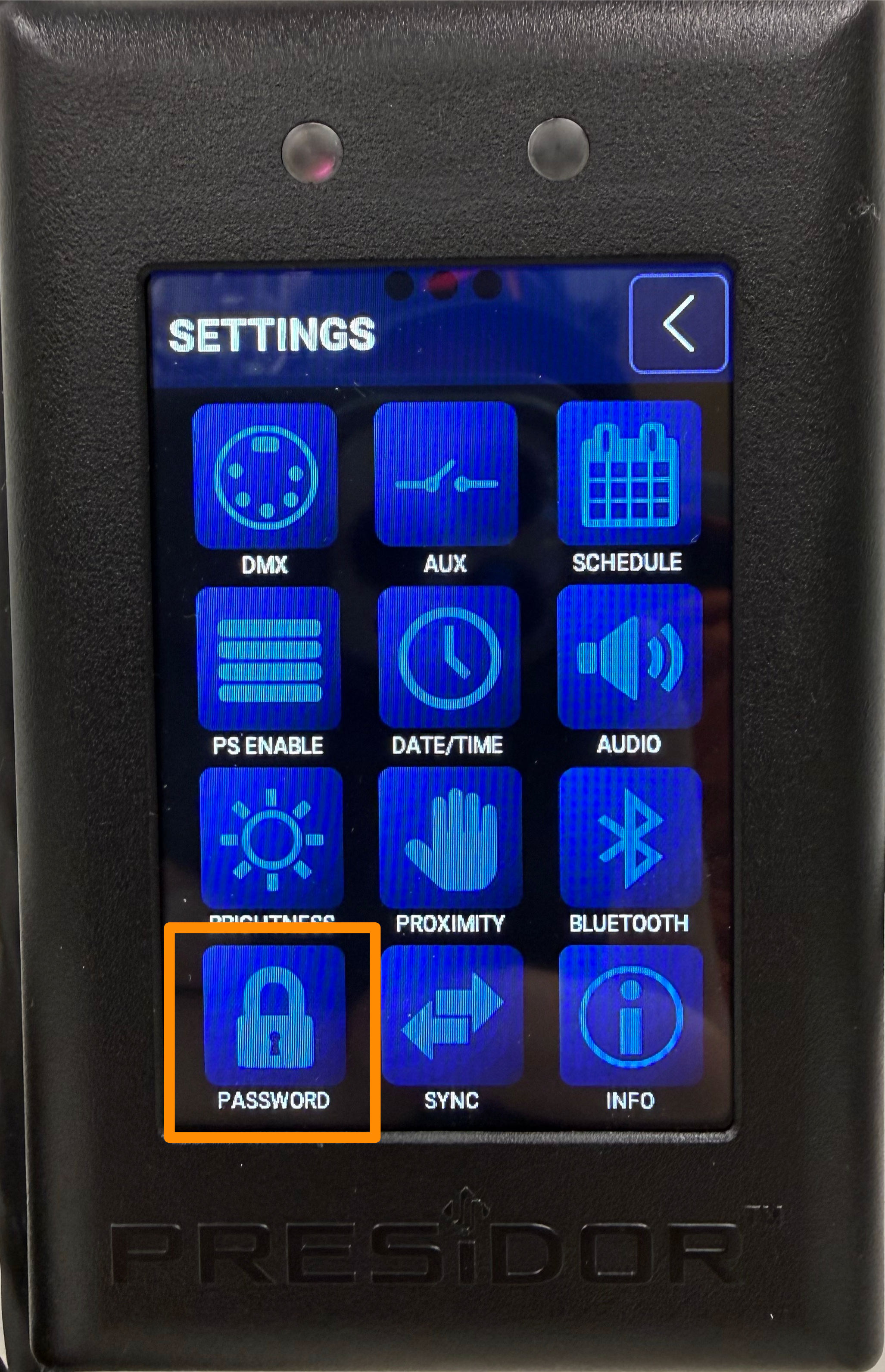
Press the lock button to sign in.
-
Enter the admin password (the factory default admin password is
98765) and press OK. You will be returned to the settings menu.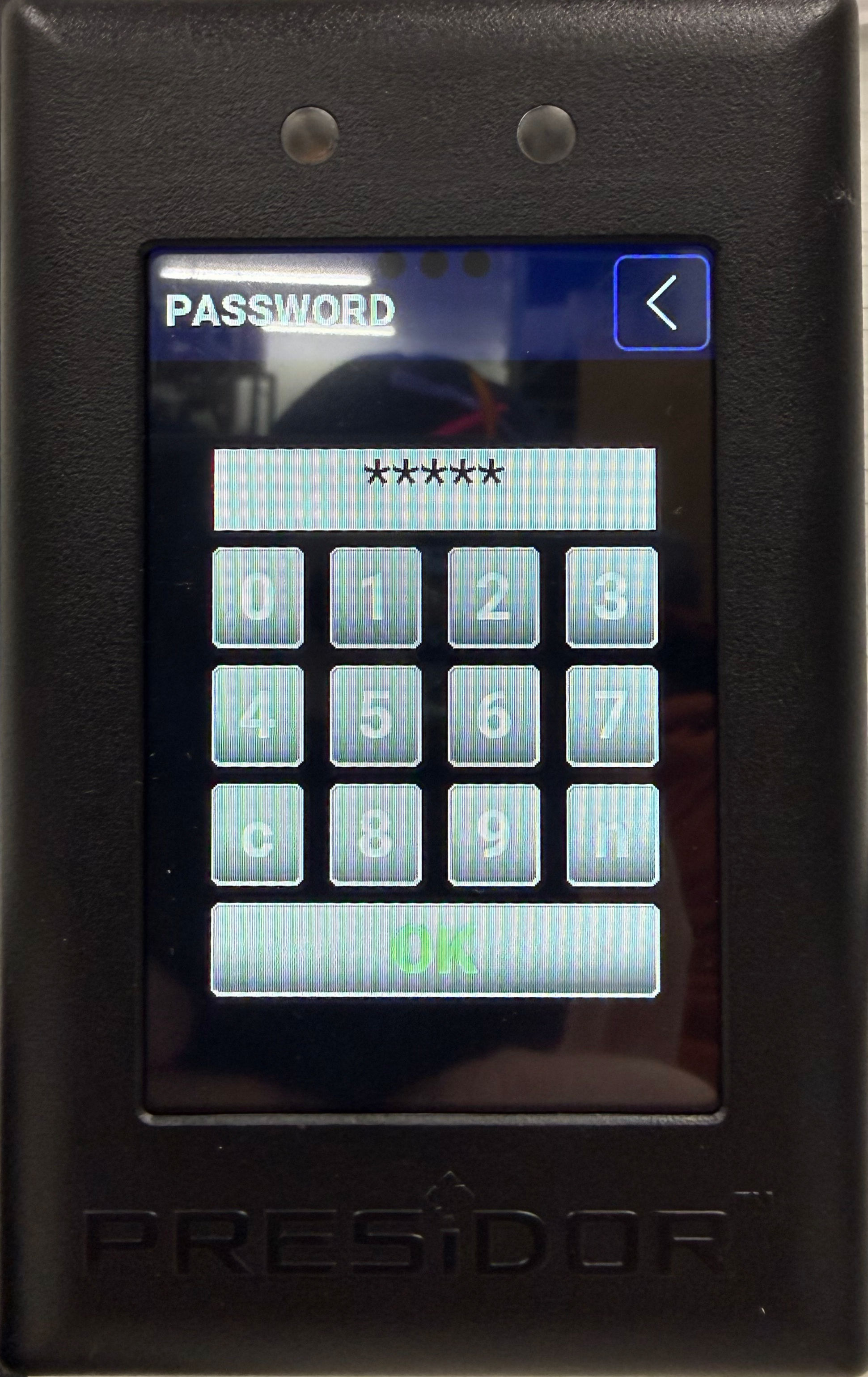
-
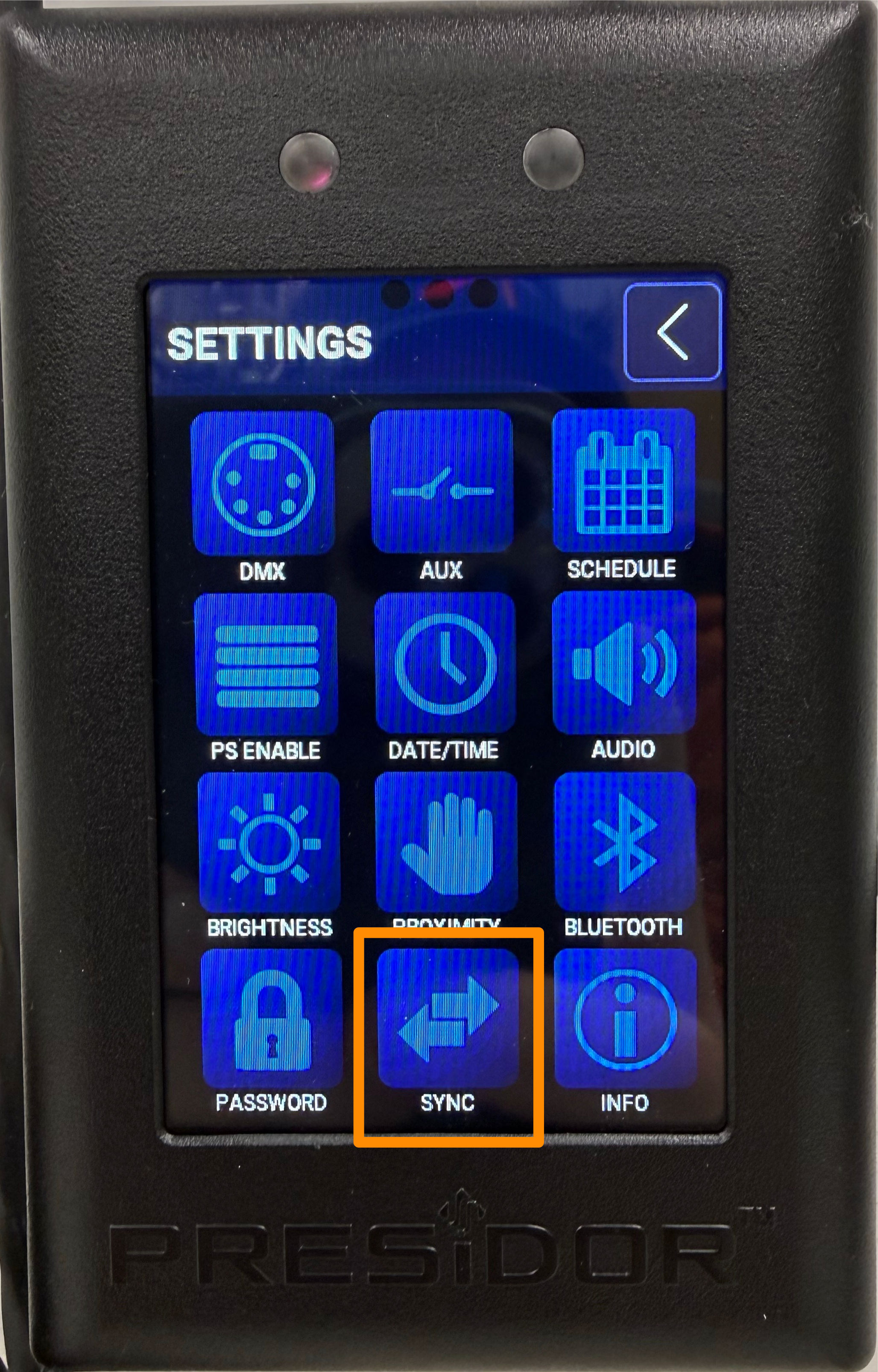
Press the "sync" button to access the secondary station controls.
-
Press the "Lock" button to lock out/disable all secondary stations.
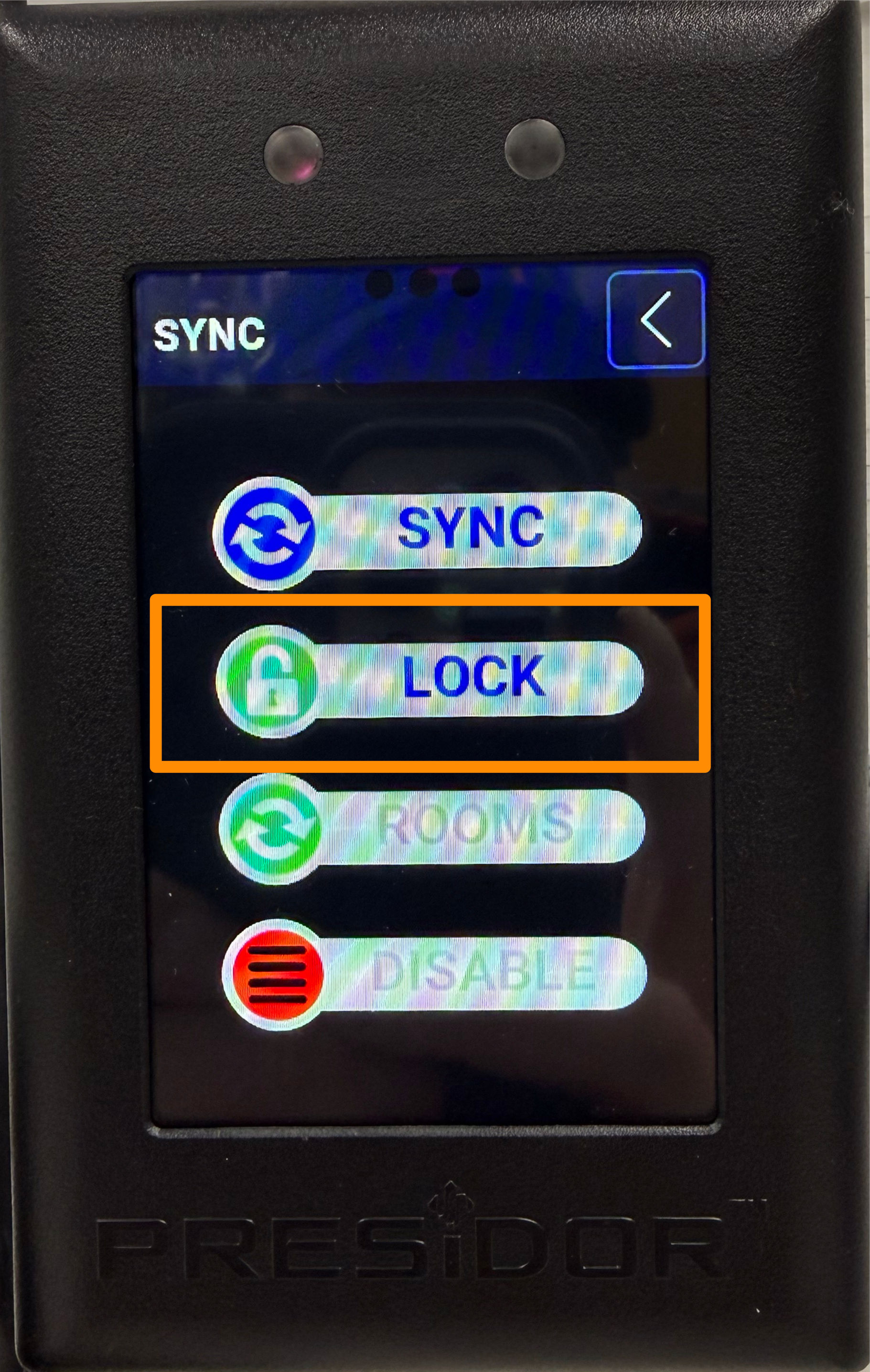
Until they are unlocked/re-enabled, all secondary stations will now show only the time and a lock icon, and will not respond to any touch inputs.
Enabling/Unlocking Secondary Stations
Follow these steps to enable or unlock any secondary stations. You may wish to do this after a show is completed, and/or after the public has left your space.
-
From your primary station (typically located backstage or in the control booth), press the "hamburger" menu button to access the main menu.
-
Press the "gears" button to access the settings menu.
-
Press the lock button to sign in.
-
Enter the admin password (the factory default admin password is
98765) and press OK. You will be returned to the settings menu. -
Press the "sync" button to access the secondary station controls.
-
Press the "Unlock" button to unlock/enable all secondary stations.
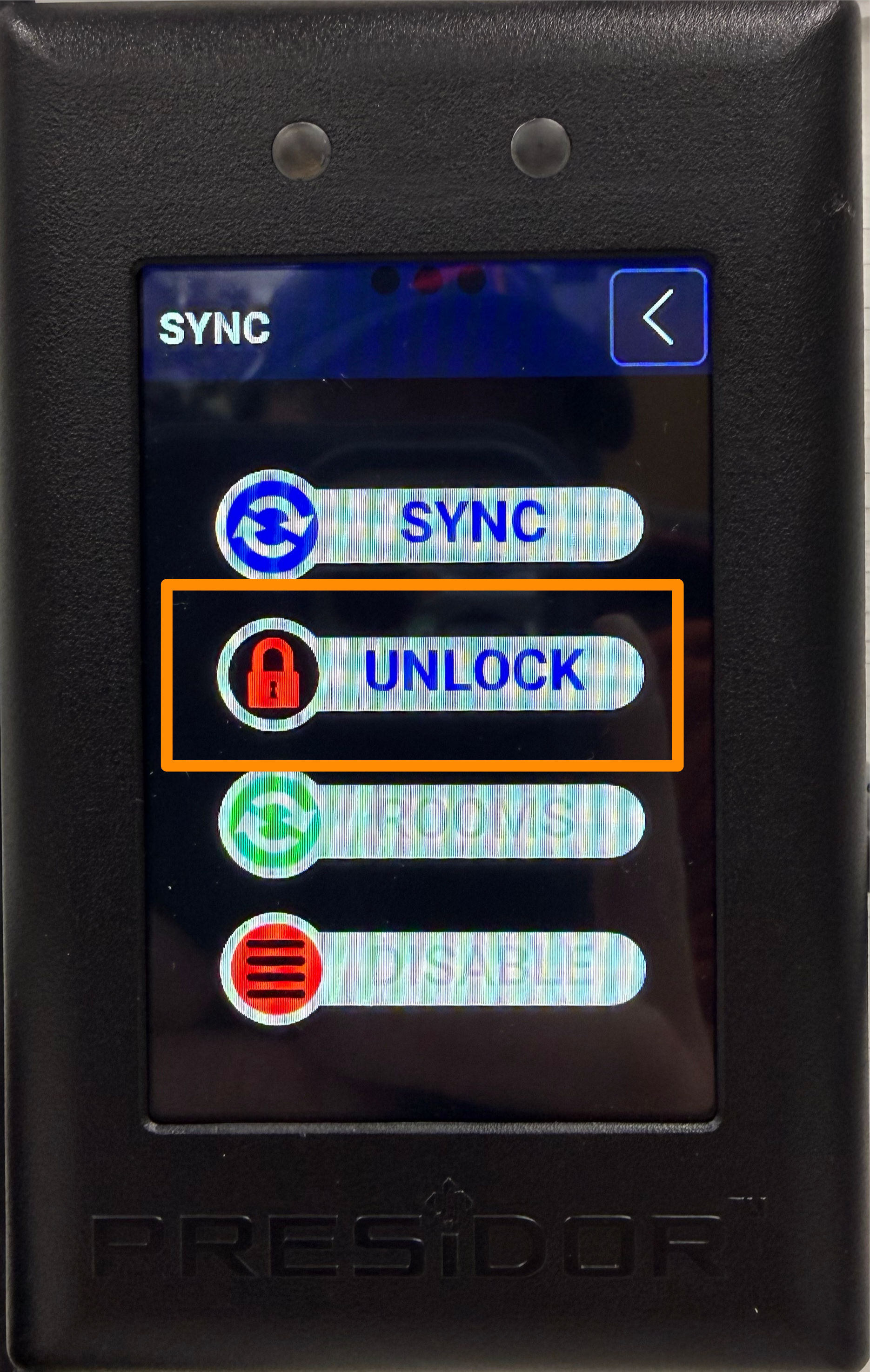
Now that they are unlocked/enabled, all secondary stations will function normally.